On-site LPR. Core gate decisions stay local.

ClavePoint Local Gate Access Control

License plate recognition that opens existing gates from your own on-site hardware. No required cloud lookup, no monthly software fee for core local operation, and no internet lookup for core access control when site equipment is running.

Core operation
Offline capable
Data location
On the appliance
Payment model
One-time hardware
Local operator dashboard

Review the Whole Gate Event, Not Just the Plate

ClavePoint gives property staff a local dashboard for routine access work: live reads, scheduled access records, gate actions, event evidence, and searchable local history.

Latest Capture

Show the vehicle overview image when capture image storage is enabled and an overview is available.

Event Detail

Review the decision reason, camera, direction, confidence, and relay result; stored images can show the vehicle overview and plate crop.

Scheduled Access

Create resident, guest, vendor, staff, and contractor records with expiration dates or weekly windows.

Retention Controls

Choose whether capture images are stored and how long event records are retained.

Staged gate lane overview for local dashboard review
ClavePoint
Latest Capture overview

Staged visual for vehicle overview review when capture image storage is enabled and retained.

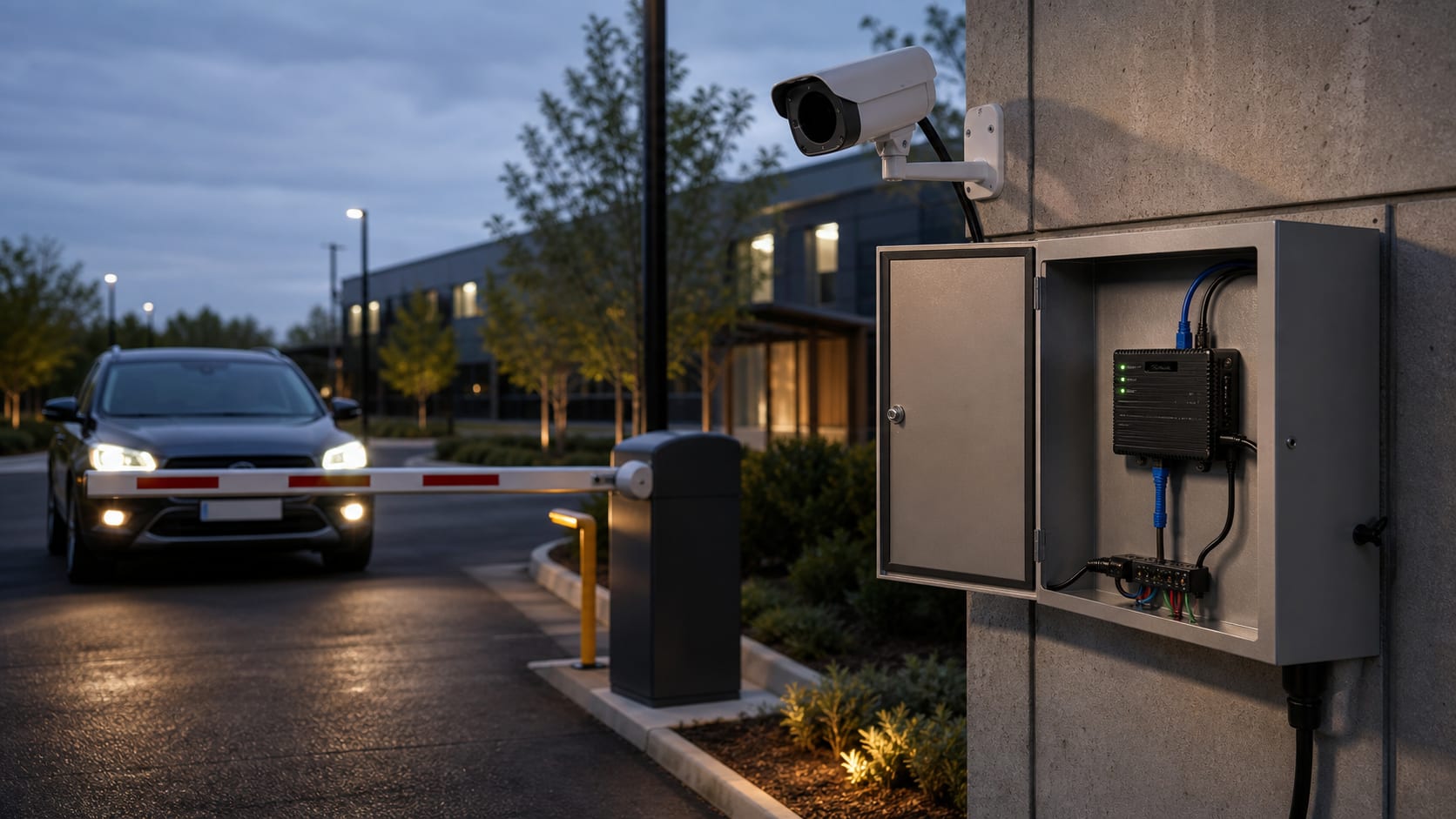
ClavePoint appliance installed beside a vehicle gate
Gate lane context

The appliance connects to existing gate hardware after camera, relay, power, and network review.

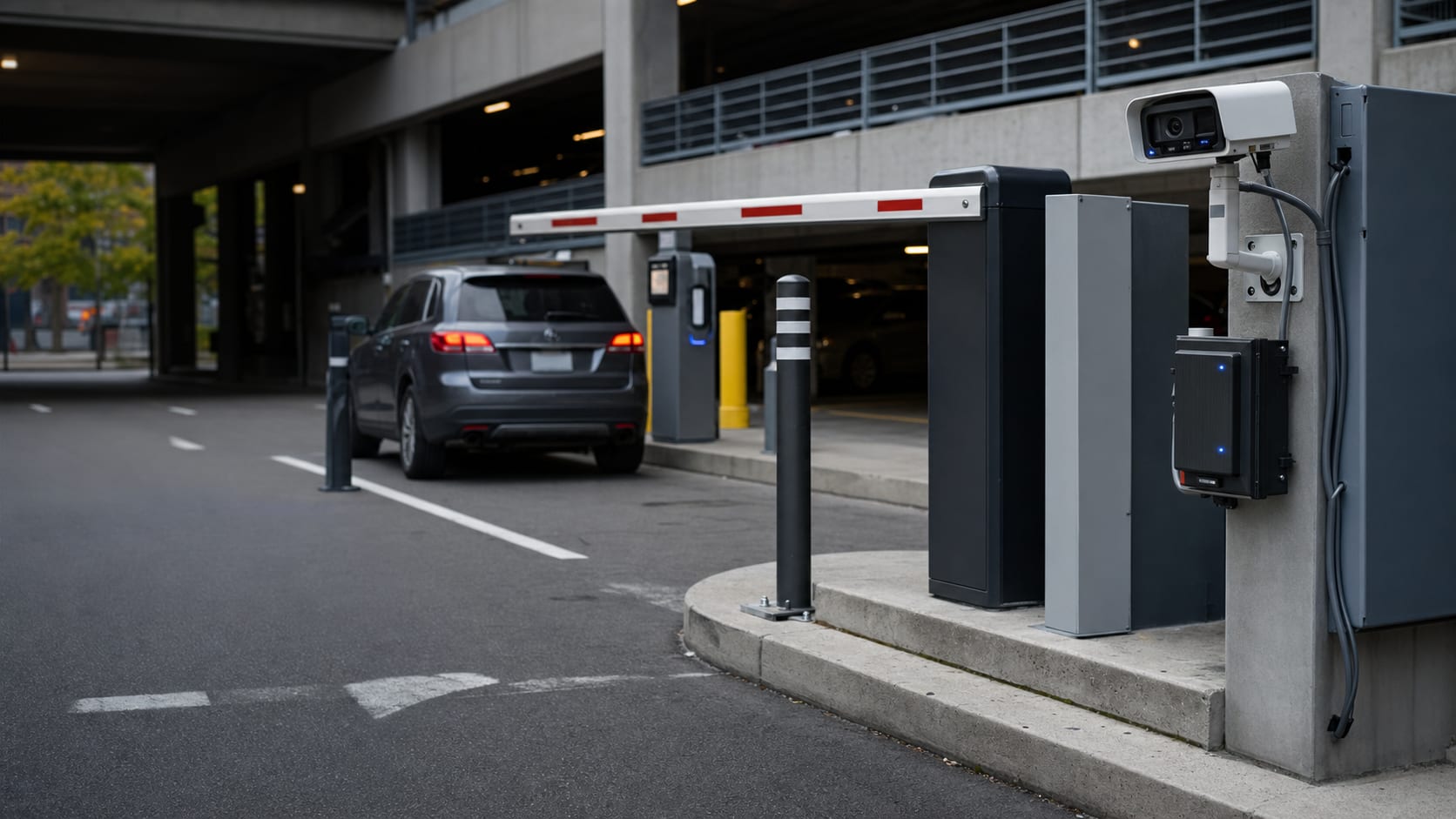
Parking entry lane where license plate recognition can control access
Entry lane workflow

Approved plates trigger the gate locally and leave a searchable event trail for staff review.

Representative visuals based on the local ClavePoint operator interface and field deployment workflow.

Event Detail

Search a plate and open the full event record with image evidence, decision, and relay timing when stored data is available.

Admin Controls

Setup, network checks, and deeper operational controls stay limited to administrator roles.

Security and control

Local-first controls buyers ask about first

Built for Real Hardware Deployments

Before an order moves forward, ClavePoint reviews the gate, camera lane, network path, warranty terms, delivery expectations, and privacy obligations for the site.

Clear Sale Terms

Warranty, return, delivery, support, and installation responsibilities are identified in the quote or purchase documents before payment.

Site Fit Review

Camera angle, plate distance, power, network, and gate controller compatibility are reviewed before shipment.

Privacy Package

Operators may receive non-legal ALPR notice, retention, access-control, and signage guidance to review with counsel.

Compliance Documentation

Available compliance documentation is confirmed in the quote or purchase documents when applicable.

Review the Legal & Hardware Notices for warranty, delivery, installation, and ALPR operator considerations before ordering.

Built for Your Business

For HOAs, car washes, and parking operators, ClavePoint checks the gate lane, camera position, privacy duties, and credential workflow before quoting.

How It Works

Three local steps for recognized approved plates, with final timing dependent on camera placement, network quality, and gate-controller behavior.

1

Camera Reads the Plate

Your IP camera captures the vehicle. The on-site LPR engine reads the license plate in real time when the camera is positioned, focused, and lit for plate capture.

2

ClavePoint Checks the Allowed List

The plate is matched against your local allowed list on the appliance. Core gate decisions do not require an internet request or cloud lookup.

3

Gate Opens Automatically

A relay signal triggers your existing gate controller. The entry is logged with a timestamp for staff review.

Core Local Features Included

Core local gate-control features are included; lane count, support, summaries, reports, and integrations vary by package.

License Plate Recognition

Use plates as the primary credential instead of issuing separate fobs, remotes, or codes for routine vehicle access.

Scheduled Allowed List

Create resident, guest, vendor, staff, and contractor records, including temporary passes and weekly access windows.

Event Detail Evidence

Review the gate event with image evidence, decision reason, confidence, camera, direction, and relay result when available.

Dry-Contact Gate Integration

Works with many gate controllers that provide a compatible dry-contact input, subject to site and wiring review.

Full Audit Trail

Entry and denial events are logged with timestamp, plate, and camera lane. Searchable history is stored locally for authorized staff review.

Configurable Retention

Customer-selected retention controls govern event records and stored capture images when image storage is enabled.

Planned optional add-ons

Remote management and alerts

Optional remote management and alert features are planned. Availability, timing, packaging, and privacy terms will be announced before launch.

See Packages →
Live walkthrough — not a marketing reel

See ClavePoint Open a Gate — Live, On Your Schedule

We'll screen-share a working ClavePoint lane or product environment and walk through a plate capture, the operator dashboard, and the site-fit questions for your gate.

No slide deck. After the walkthrough, we can provide a preliminary estimate once site details are reviewed.

Request Your Walkthrough

Recorded product video coming soon.

Be One of Our First Pilot Customers

ClavePoint is preparing pilot deployments. Availability depends on site-fit review, production readiness, and written purchase terms.

Request a Demo

Compare Your Current Quote

Bring the hardware, software, camera, support, installation, cloud, and renewal line items from your current gate-access quote. ClavePoint keeps core local gate operation separate from optional services so the real site cost is clear before payment.

ClavePoint

Site-Fit Scope

Core local appliance, optional services, cameras, installation, support, shipping, and taxes clearly separated in writing.

Current Quote

Line-Item Review

Review assumptions, recurring fees, camera requirements, installer responsibilities, and support scope before comparing options.